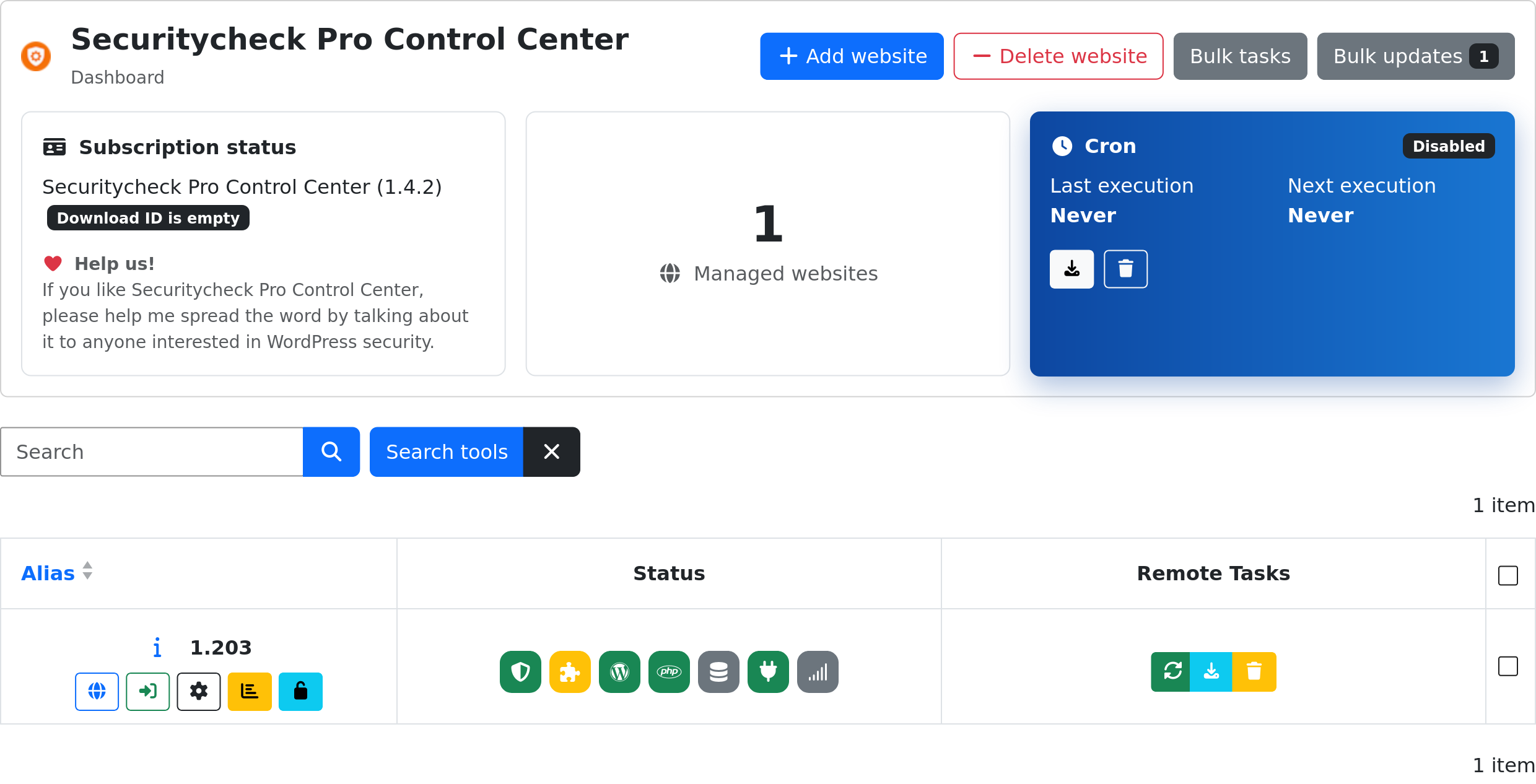
Websites table
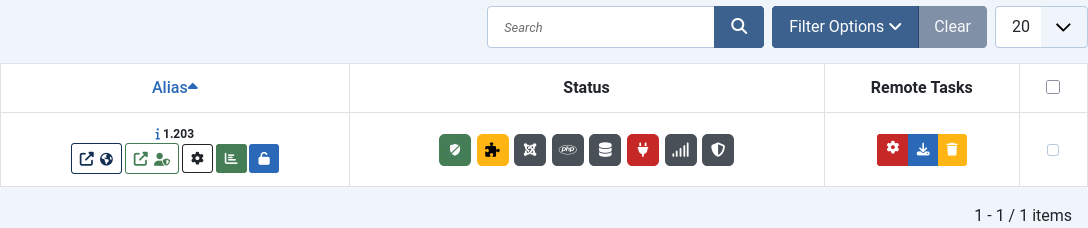
This is the main part of the extension. From here we can manage all our remote websites:
JOOMLA
Lists every website you manage. Use the search bar above the table to filter by name or tag, and the row checkboxes to select sites for Delete website, Bulk tasks or Bulk updates.
Each row shows:
-
Alias - the site's name, with quick-action buttons: open its Frontend or Backend in a new tab, jump to its Manage website detail screen (gear icon), open its status details (chart icon), and a tables icon that only shows - it does not toggle - whether the site's tables are currently locked.
The status details popup shows the site's lock status, vulnerable extensions, pending logs, and the last permissions/integrity/malware scan results:

-
Status - eight icons summarising the site's state, each with a tooltip:
Icon Meaning Securitycheck / Securitycheck Pro Whether the extension itself is up to date on the remote site. Extensions Number of outdated extensions/plugins. Core Whether Joomla core is up to date; shows the installed and latest version when it's outdated. PHP Whether the site's PHP version is still supported. Backup Latest backup result: pending, failed or completed. Contact Last time the site contacted the Control Center, and the HTTP response code of that contact. Monitor Website Monitor status - online or offline - if enabled. Overall Overall security score, colour-coded (green ≥ 80%, orange ≥ 60%, red below). - Remote Tasks - the last remote task launched and its result, with buttons to download or delete its log. The log records every action sent to the remote site, so it's worth checking whenever a task fails or shows an unexpected result.
WORDPRESS